
Daily Golf.
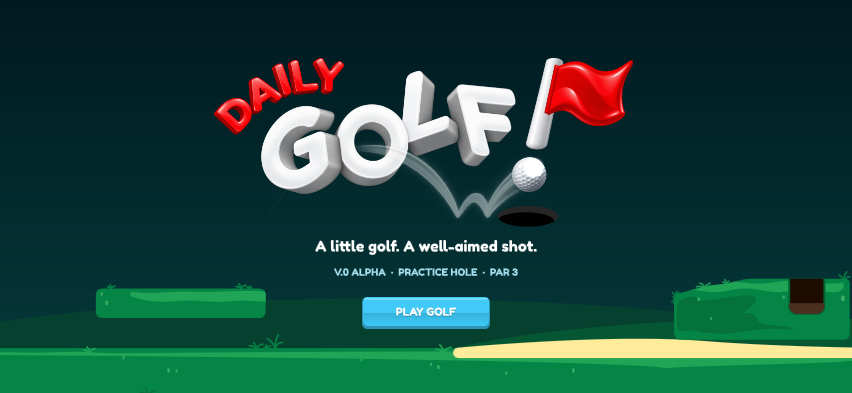
A little golf. A well-aimed shot.
A UI design jam brought to life as a playable Rive experience.
Project credits: Lil Snack provided the design challenge and base artwork for the golf game environment. Greg Eichholzer created the UI and motion elements.
Practice archive
Three holes · Unranked · Free retries
Practice never changes daily scores or spends mulligans.
A new daily round is ready
The daily reset is midnight New York time. Load today’s course to continue.
Rotate to play
Turn your phone sideways for the full course and easier controls.
Loading the course…
Aim Press the ball and pull back.
Power Pull farther for a stronger shot.
Swing Release. Watch the wind.
Mouse or touch · Rotate your phone to landscape · Three shared daily holes · Three-day practice archive
Daily rounds and practice
The second version connects the shot mechanic to a complete three-hole round, a reason to return tomorrow, and room to practice without changing a daily result.
Shared daily course
Everyone gets the same three layouts and wind conditions for each date. Controlled variations of the course templates keep rounds playable; the next daily begins at midnight New York time.
Unranked practice
Replay the previous three days as unranked practice. Today’s course joins the archive after daily completion. Free retries preserve the daily result and leave mulligans untouched.
Results and display names
A round summary brings strokes, score against par, and time together. A real text field replaces cycling through initials, with a 2–16 character nickname and clear validation before saving.
The leaderboard, daily progress, check-ins, and earned mulligans are stored locally in this browser. This alpha does not have a shared online leaderboard or account sync.
Daily round
- Daily check-in
- Play three holes
- Review results
- Enter a nickname
- Save to local leaderboard
Daily check-ins earn mulligans. During a daily round, an available mulligan lets the player retry a hole; strokes determine ranking and time breaks ties.
Practice round
- Open the archive
- Choose a date
- Play three holes
- Review unranked results
- Choose another day
Each archived round recreates that date’s layouts and wind. Practice stays separate from daily progress, with free restarts and no leaderboard submission.
The interaction pass also adds a contained pause-button list, clearer mulligan counts, a constrained custom pointer, surface-specific roll, and a trail that follows the ball’s actual arc. Phone players receive a landscape prompt, with fullscreen or expanded view where supported.
The shot loop
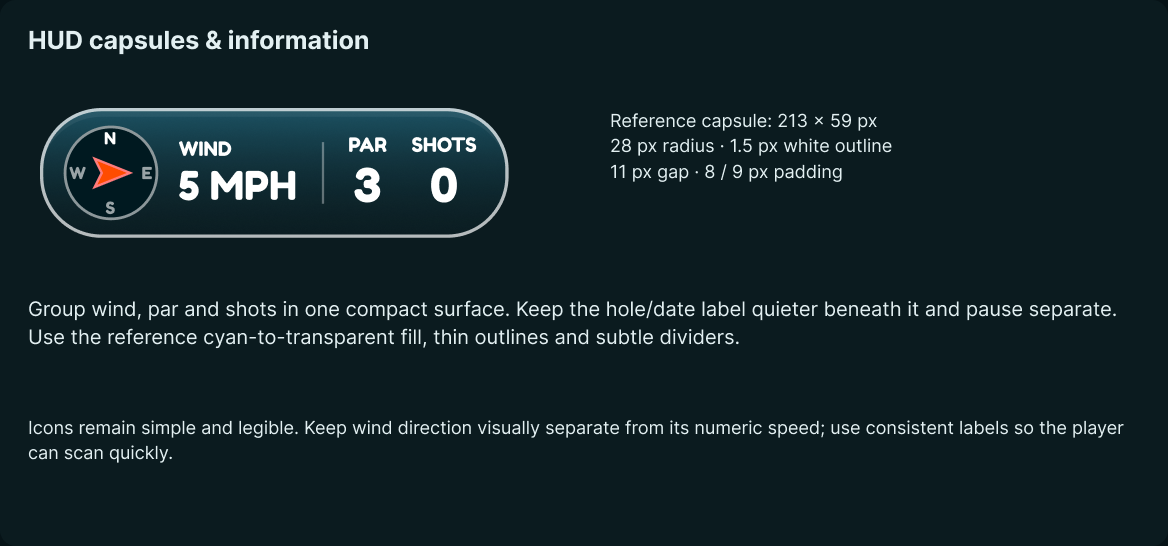
The challenge was to make a small golf game readable before the first shot. The player sees the target, reads the wind, pulls back for direction and power, then lets go. A compact HUD keeps wind, par, and shots together while leaving the course room to breathe.
UI states and feedback
The Figma work explores the shot loop, component states, and visual feedback. V.2 carries that visual language through check-in, course reveals, results, display-name entry, and practice. The same cream surfaces, dimensional cyan buttons, and red retry actions give each step a familiar next move.
Controls and feedback
Wind you can read
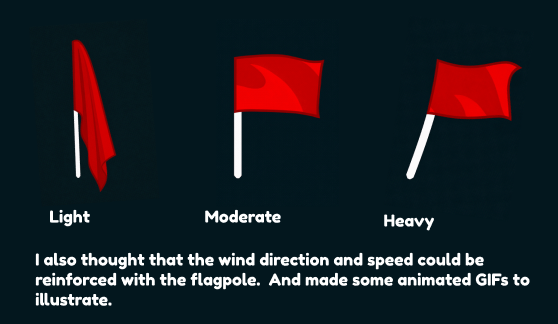
The compass, shot preview, and flag share the same wind. Light wind lets the fabric droop; stronger wind extends the flag and leans the pole.
Button states
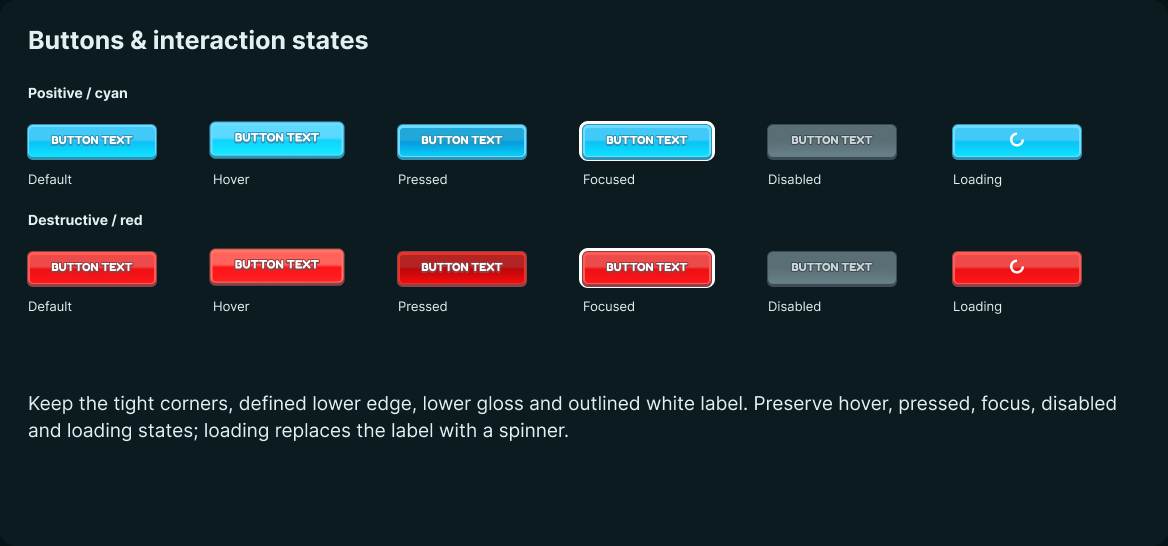
Cyan positive actions, red restart actions, lower gloss, and compact labels connect the interface. Hover, pressed, focus, disabled, and loading states carry that treatment through.
A working alpha
Everyone plays the same three date-seeded holes and wind each day. Revisit the previous three days in unranked practice, or replay today after finishing. Display names, scores, and mulligans are saved in this browser.
Design gallery
Current V.2 screens first, followed by the early flows, storyboard, and visual studies that shaped the playable.
Select an image to explore it full size ↗Current build screens
Current screens captured from the playable V.2 build, using example scores. Select a screen to inspect it full size.
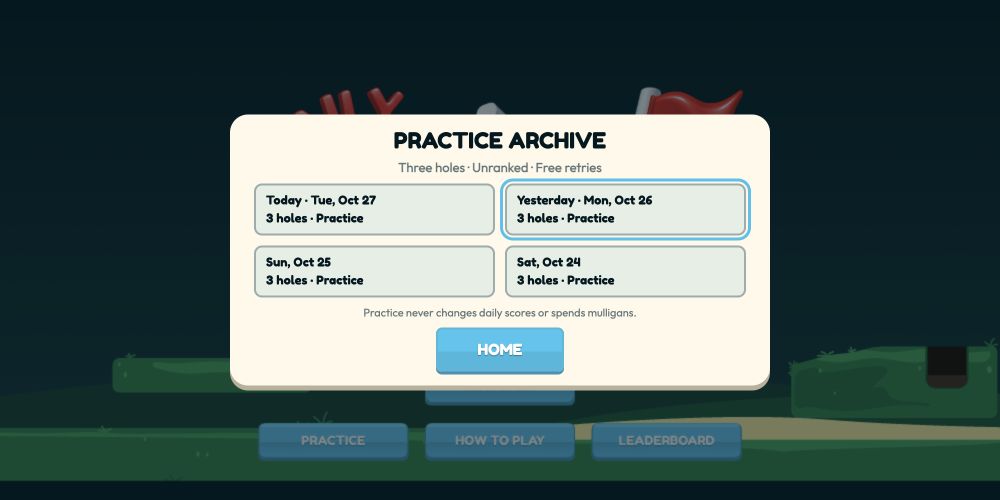
Choose a practice day
The four-date picker separates unranked replay from daily play. Today unlocks after completion; the previous three dates remain available for practice.
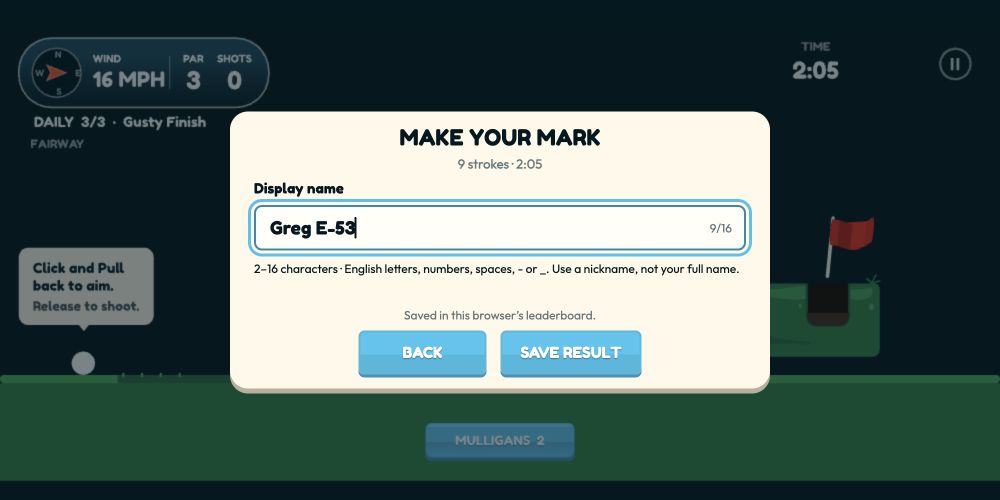
Make your mark
A labeled nickname field supports typing and phone keyboards, shows the character count, and explains what is saved before the player commits.
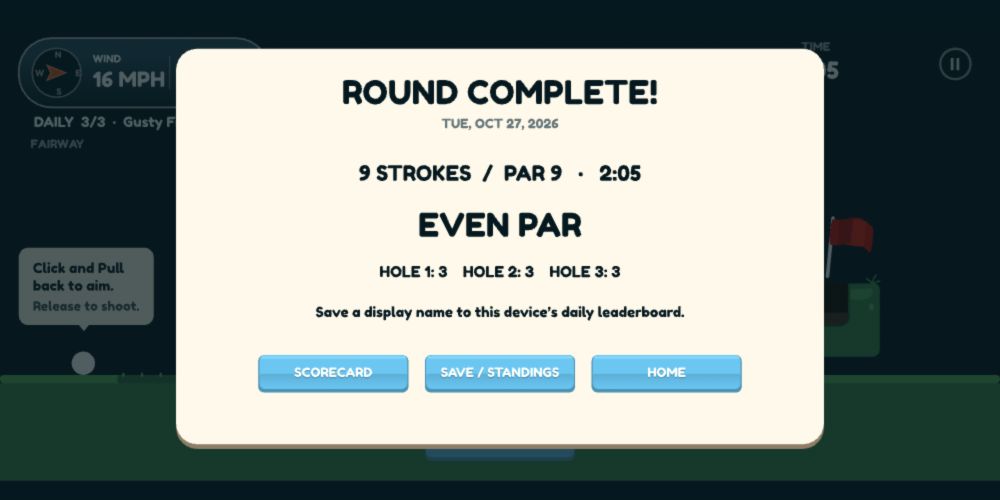
Give the round a clear finish
Strokes, par, time, and the three-hole breakdown sit together. Players can inspect the scorecard, save a name to local standings, or return home.
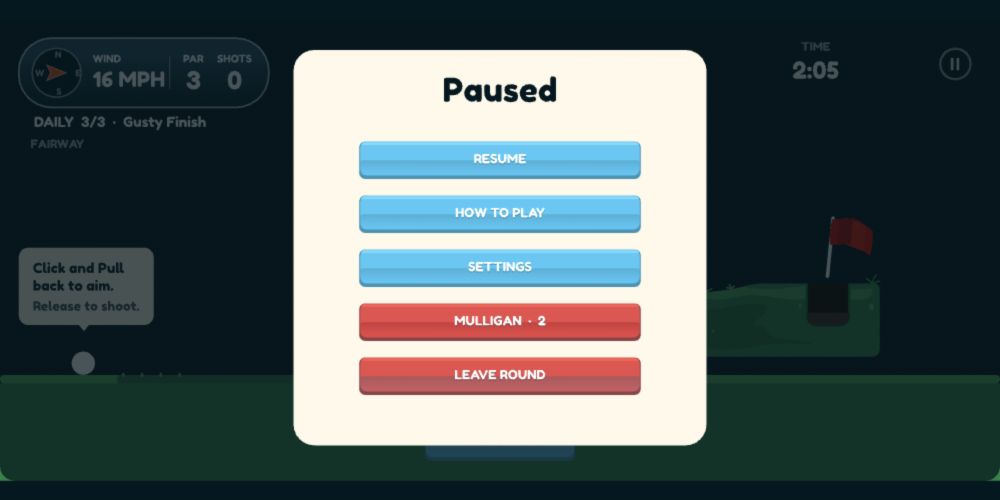
A calmer pause menu
A contained vertical button list gives Resume priority, keeps help and settings together, and separates mulligan and leave-round actions in red.
Where the interaction began.
The original wireframes, shot storyboard, and visual studies below document the earlier design process. They are preserved as explorations; the V.2 screens above show the current interface.
Every shot has a clear next step.
These early flow diagrams explore aiming, committing a stroke, and resolving a shot. The V.2 journeys above extend that foundation into a full daily round and a separate practice archive.

Commit with confidence
Read the course → pull and aim → validate the release → count one stroke. Releasing inside the neutral ring cancels without spending a shot.

Resolve, then return control
The resolution flow separates a completed hole from another attempt and defines how recovery returns the player to the loop.
One gesture. Six moments.
The original interaction storyboard shows how a pinball-inspired pull turns direction and distance into a readable shot. Cursor illustrations belong to the design walkthrough.
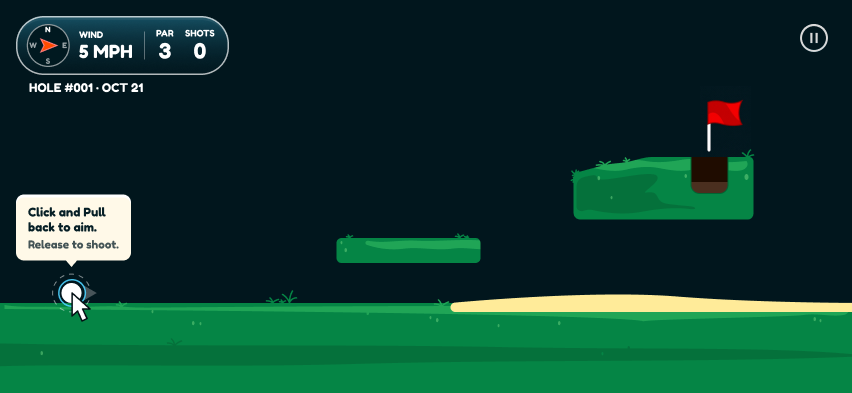
Invite the first shot
A quiet hint sits beside the ball. Wind, par, and shots stay grouped above the course; pause remains separate.
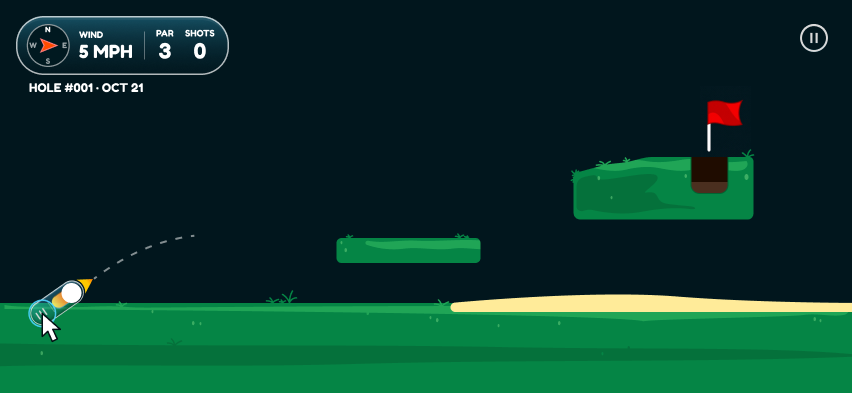
Make the pull visible
At a short pull, the grip and power bar appear beside the ball. A dotted preview gives immediate directional feedback.
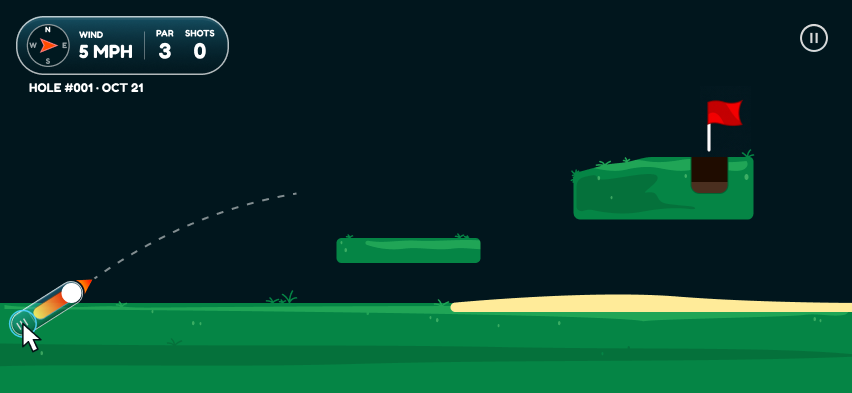
Build to full power
A longer pull fills the bar toward warm yellow and orange. Direction and strength remain part of the same gesture.
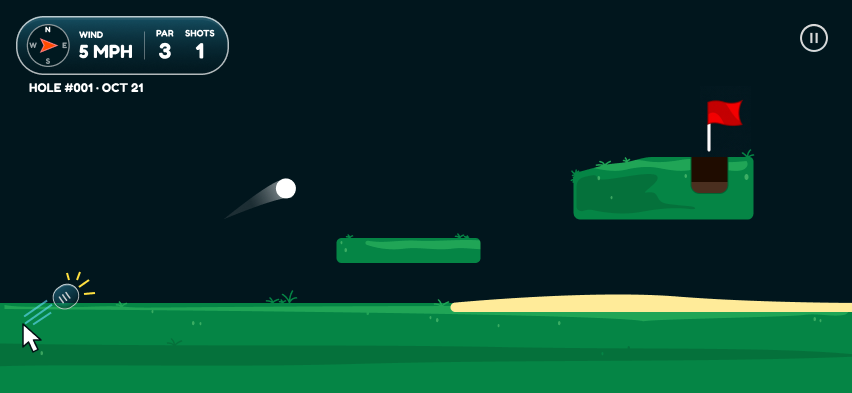
Give release a little snap
The grip returns as the ball launches. This early storyboard used a brief streak and spark; V.2 follows the ball’s sampled path with a curved, fading trail.
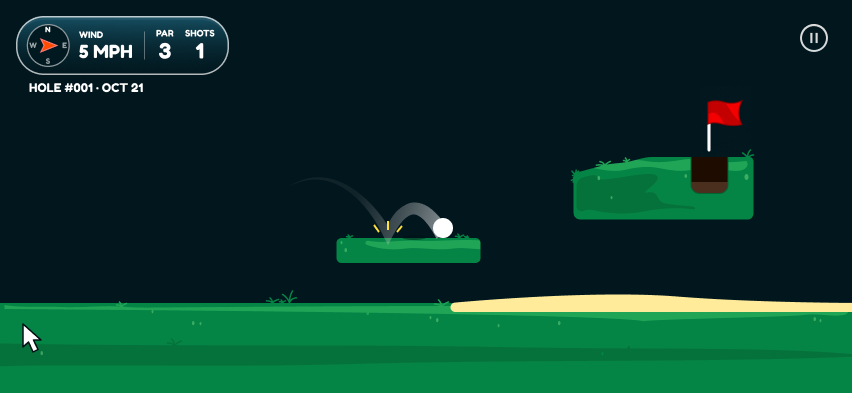
Let the ball settle
A bounce and grounded shadow communicate contact before the player takes another shot.
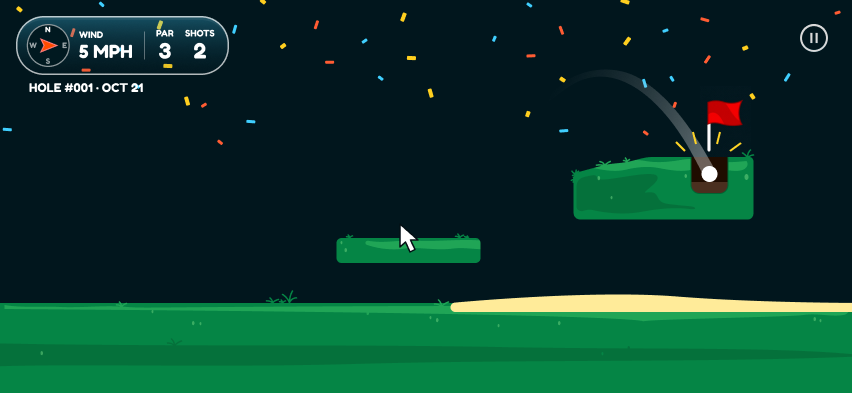
Celebrate the finish
A short hole-complete moment and confetti punctuate the loop without hiding the course.
Small components. Shared rules.
Art direction is carried through color, surfaces, component proportions, and complete interaction states.
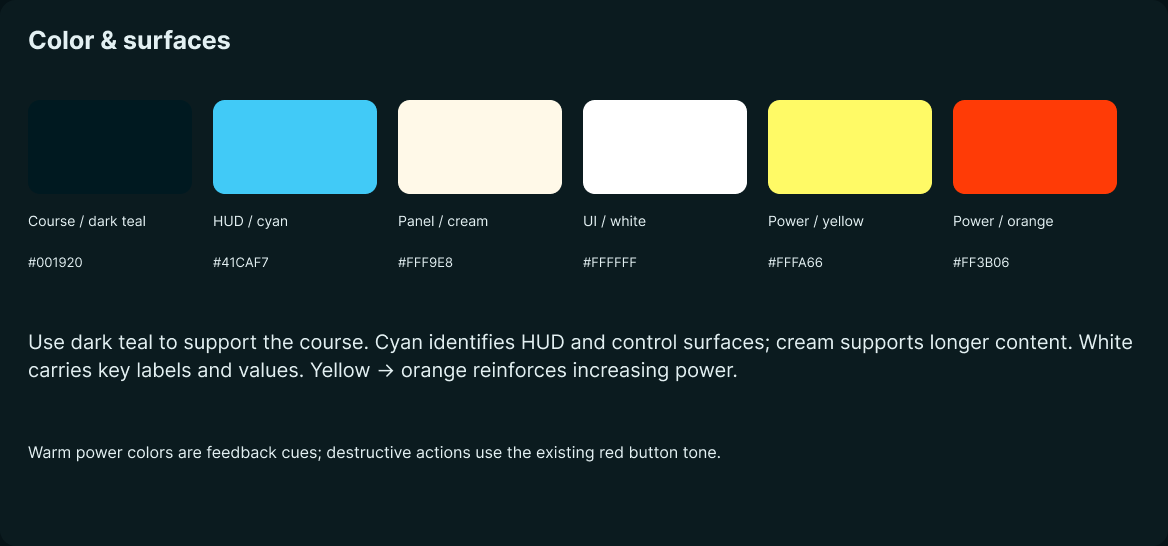
Color carries the hierarchy
Deep teal supports the course; cyan identifies positive actions. Cream surfaces soften supporting content, with yellow and orange reserved for energy and emphasis.
Design beyond the default
Cyan positive actions and red destructive actions share tight corners, a defined lower edge, restrained gloss, and outlined white labels. Hover, pressed, focus, disabled, and loading each have a defined state.
Keep the essentials together
A compact capsule brings wind, par, and shot count into one glance. The quieter date and separate pause control preserve the hierarchy.
Read it in the flag. Feel it in the shot.
The flag studies turn an invisible gameplay force into a visible cue. In the playable alpha, the wind readout, flag, and shot response use the same wind value.
A portfolio design study based on a challenge and golf environment artwork supplied by Lil Snack. UI and motion elements by Greg Eichholzer. Project IP and supplied assets belong to their respective owners.